Duskfade Demo Guide
The free Duskfade demo packs over 1 hour of gameplay — 5 areas, 2 unlockable abilities, and a full boss fight against Wrath. Here's everything you need to know before downloading.
Duskfade launched on all platforms (Steam, PS5, Xbox Series X|S, Switch 2) on August 13, 2026. This page covers the free demo — for the full campaign, see our Walkthrough and Boss Guide.
How to Download the Demo
| Platform | Status | How to Get |
|---|---|---|
| PC (Steam) | ✅ Available Now | Search "Duskfade Demo" on Steam store, or visit the main Duskfade store page and click "Download Demo" |
| PlayStation 5 | ✅ Available Now | Search "Duskfade Demo" on PSN Store |
| Xbox Series X|S | ✅ Available Now | Full game on Xbox Series X|S since Aug 13, 2026 (no demo, but the full game is there). |
| Nintendo Switch 2 | ✅ Available Now | Switch 2 version launched Aug 20, 2026 — full game only (no demo). |
The demo does not carry progress into the full game. Treat it as a tutorial — learn the mechanics, then start fresh in the full game (out now on all platforms since Aug 13, 2026).
What's in the Demo? (5 Areas)
The demo was significantly expanded in June 2026 for Steam Next Fest. It now includes 50% more content than the original September 2025 release.
1. Tutorial Section
A short opening that teaches the core mechanics: moving, jumping, basic sword combat, and the all-important time-freeze dodge.
~10 minutes
2. Tick Town (Outskirts)
A clockpunk town area. Meet NPCs, find collectibles, and learn platforming basics. Talk to everyone — side characters drop useful lore and hints.
~15 minutes
3. Magical Forest
An ethereal forest filled with ink-like enemies. Practice the time-freeze dodge against slow, telegraphed attackers. Look for hidden Clock Heart Pieces.
~15 minutes
4. Ancient Temple / Clocktower Ruins
Platforming-heavy zone with wall jumps, rails, and grapple points. Here you unlock the Grapple and Blast Attack abilities.
~20 minutes
5. Mines (Added in June Update)
New area added in the Steam Next Fest update. Features rail-grinding sections and tougher enemies. Leads directly to the boss arena.
~10 minutes
60-90 minutes for a thorough playthrough. Speedrunners can finish in ~40 min; completionists chasing every collectible may spend 2 hours.
Demo Abilities Unlocked
The demo lets you try two of the most important gadgets in the full game:
| Ability | Where Unlocked | What It Does |
|---|---|---|
| Blast Attack | Ancient Temple | An explosive AoE attack that damages nearby enemies and breaks cracked walls. Costs energy. |
| Grapple (Hook-shot) | Ancient Temple | Zips Zirian to anchor points. Used for both traversal and combat (especially vs Wrath boss). |
For the full abilities list and skill tree, see our Abilities Guide.
Wrath Boss Strategy (Demo Finale)
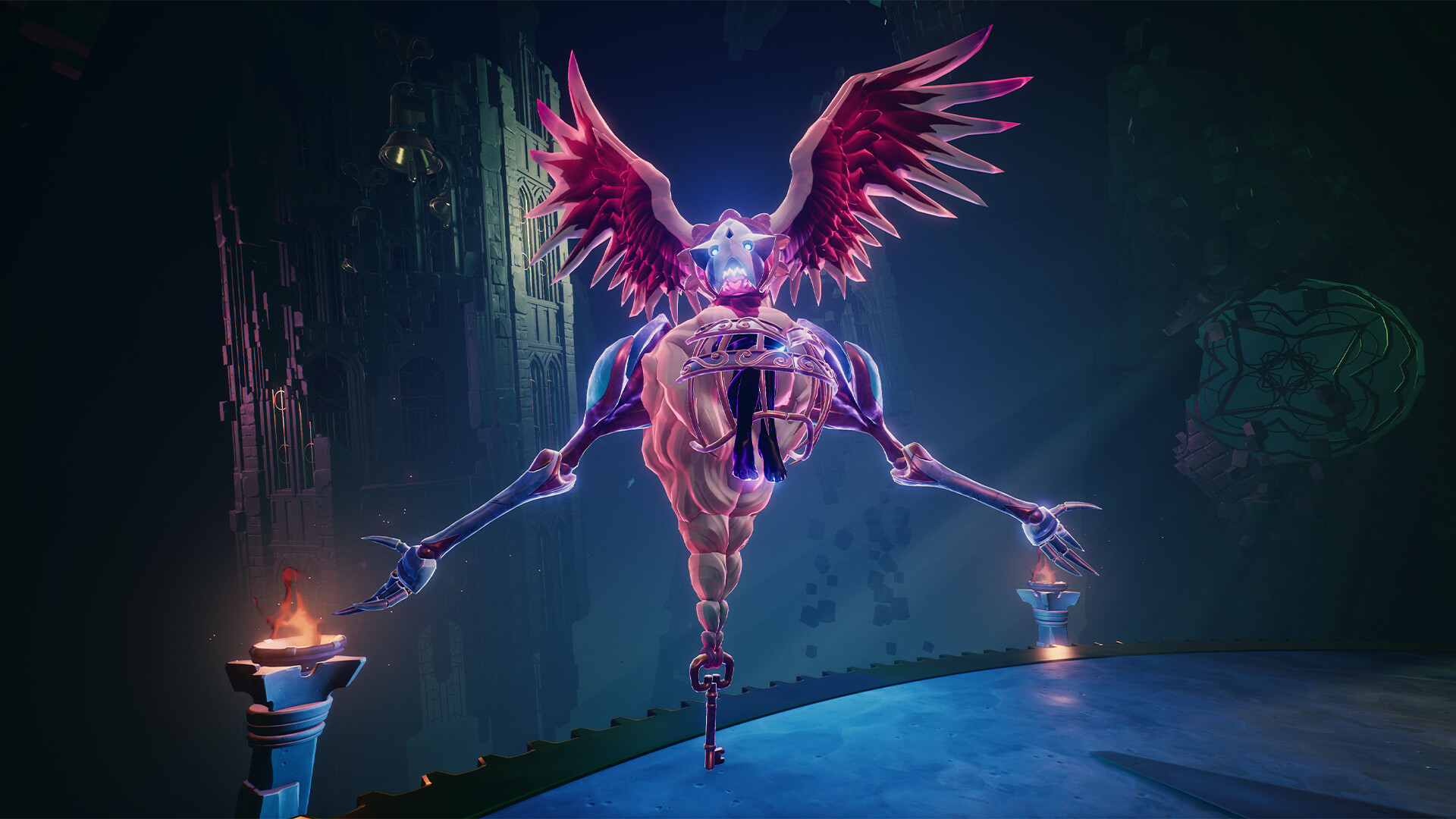
The demo ends with a boss fight against Wrath — a hulking machine with gear-blade arms and chains trailing from its back.
The Read
Wrath is a movement test, not a slugfest. It has two attack modes:
- Up close: Lunges and overhead slams — high damage, short range
- At range: Lobs projectile shots — moderate damage, tracks slowly
The Strategy
Trying to trade hits with Wrath gets you flattened. Its damage output far exceeds yours at demo level. You must use the arena.
- Use the Grapple — Wrath winds up charged attacks that you interrupt by grappling to platforms around the arena. Break its rhythm.
- Time-freeze dodge — When Wrath does telegraphed swings, roll at the last moment to freeze time and get free hits.
- Punish recovery — After Wrath misses a big attack, close in for 2-3 sword hits, then retreat. Don't get greedy.
For the full Wrath guide and every boss fight, see our Boss Guide.
Demo Tips for Beginners
Common Mistakes to Avoid
| Mistake | Why It's Bad | Fix |
|---|---|---|
| Rolling too early | You lose the time-freeze window — the best tool in the game | Wait until the swing is about to connect, THEN roll |
| Cutting your double jump short | You miss ledges that look unreachable | Add a dodge roll at the end of your second jump for extra distance |
| Blitzing to the exit | You leave behind upgrades that make later areas easier | Explore side paths — the world folds back on itself |
| Ignoring Cuckoo | You miss the companion skill tree | Check Cuckoo's upgrade menu — it has its own progression |
| Forgetting to open chests | You miss Clock Heart Pieces (health upgrades) | Swing the Minutero at every chest — it's your master key |
What to Collect in the Demo
- Clock Heart Pieces — Increase max health (3 pieces = 1 heart)
- Rainbow Ingots — Currency for Minutero upgrades
- Upgrade Gears — Skill points for the ability tree
- Cards — Cosmetic collectibles, no gameplay effect
Full collectible locations in our Collectibles Guide.
Demo System Requirements (PC)
| Minimum | Recommended | |
|---|---|---|
| OS | Win10 64-bit | Win10/11 64-bit |
| CPU | Intel i5-8400 / AMD Ryzen 5 1500X | Intel i7-9700 / AMD Ryzen 5 2600X |
| GPU | Nvidia RTX 2060 8GB / AMD 5700 8GB | Nvidia RTX 3070 / AMD RX 6800 |
| RAM | 8 GB | 16 GB |
| Storage | 20 GB | 20 GB |
| DirectX | Version 12 | Version 12 |
The developer recommends using a controller (Xbox or DualSense). Keyboard is supported but the game is designed around analog stick movement.
After the Demo: Should You Buy?
Buy If...
- You enjoyed PS2-era platformers (Jak & Daxter, Kingdom Hearts, Ratchet & Clank)
- The time-freeze dodge mechanic clicked for you
- You love exploration and finding hidden collectibles
- You want a 15-20 hour single-player campaign
Wait If...
- You found the combat too simple or clunky
- You prefer souls-like difficulty (Duskfade is more accessible)
- You want multiplayer (Duskfade is single-player only)
- You're on Xbox — no demo available, try Steam first
Duskfade launched at $29.99 with a 20% launch discount (≈$23.99). The discount runs through August 27, 2026 — grab it before it ends.
For our full verdict, see the Duskfade Review page.
Demo vs Full Game
Wondering how much of Duskfade the demo actually covers? Here's the honest breakdown:
| Feature | Demo | Full Game |
|---|---|---|
| Playable Areas | 5 (tutorial + 4 zones) | 4 full regions + hub town |
| Abilities | 2 (Blast, Grapple) | Full skill tree (4 branches) |
| Bosses | 1 (Wrath) | The full boss roster |
| Playtime | 60–90 min | 15–20 hours |
| Collectibles | Partial (hearts, ingots, gears) | All 10 types, 100% completion |
| Story | Opening only | Full arc incl. Allira's rescue |
| Saves to Full Game? | No — demo is a standalone tutorial | |
The demo is the first ~10% of the game. It's the best way to test whether the time-freeze dodge and clockpunk movement click with you — and if they do, the full game is out now at $23.99 (20% off until Aug 27, 2026).
Duskfade Demo FAQ
The most common questions players ask before downloading:
Is the Duskfade demo free?
Yes. The demo is 100% free on both Steam (PC) and the PlayStation 5 PlayStation Store. No purchase required.
How long is the Duskfade demo?
A thorough playthrough runs 60–90 minutes. Speedrunners finish in ~40 minutes; completionists chasing every collectible can spend up to 2 hours.
Does the demo save progress to the full game?
No. The demo is a standalone build — your progress does not carry into the purchased game. Treat it as a free tutorial, then start fresh.
Is the Duskfade demo on Xbox or Switch?
There is no Xbox or Switch 2 demo, but the full game is available on both: Xbox Series X|S since Aug 13, 2026, and Nintendo Switch 2 since Aug 20, 2026. Your best bet for the free demo is Steam (PC) or PS5.
What abilities do you get in the demo?
Two: the Blast Attack (explosive AoE that breaks cracked walls) and the Grapple / Hook-shot (used for both traversal and the Wrath boss fight). See the Abilities Guide for the full tree.
Is the demo the full game?
No. It covers 5 areas and 1 boss (Wrath) — roughly the first 10% of the story. The full game spans around 20 named regions across four paths, several boss fights, and 15–20 hours of content.
Can I still play the demo after buying the full game?
Yes. The demo remains downloadable separately from your library and does not require owning the full game.
Should I play the demo before buying?
Strongly recommended. It's free and the fastest way to tell if the time-freeze dodge and clockpunk platforming suit your taste — especially if you're unsure about the $23.99 launch price (20% off until Aug 27, 2026).
What are the PC system requirements?
Minimum: Windows 10 64-bit, Intel i5-8400 / Ryzen 5 1500X, GTX 2060 8GB, 8 GB RAM, 20 GB storage. A controller (Xbox or DualSense) is recommended. Full specs in the table below.
Is the demo good for beginners?
Yes — it opens with a tutorial teaching movement, sword combat, and the time-freeze dodge. Pair it with our Beginner Guide for the fastest start.
Continue Exploring
Full Walkthrough →
Demo walkthrough details and full game region structure.
Time-Freeze Dodge →
The signature mechanic — master it before the Wrath boss.
Boss Guide →
Every boss fight including Wrath from the demo.
Zirian →
Meet the protagonist and his skill tree.
Review →
Should you buy Duskfade? Our full verdict.